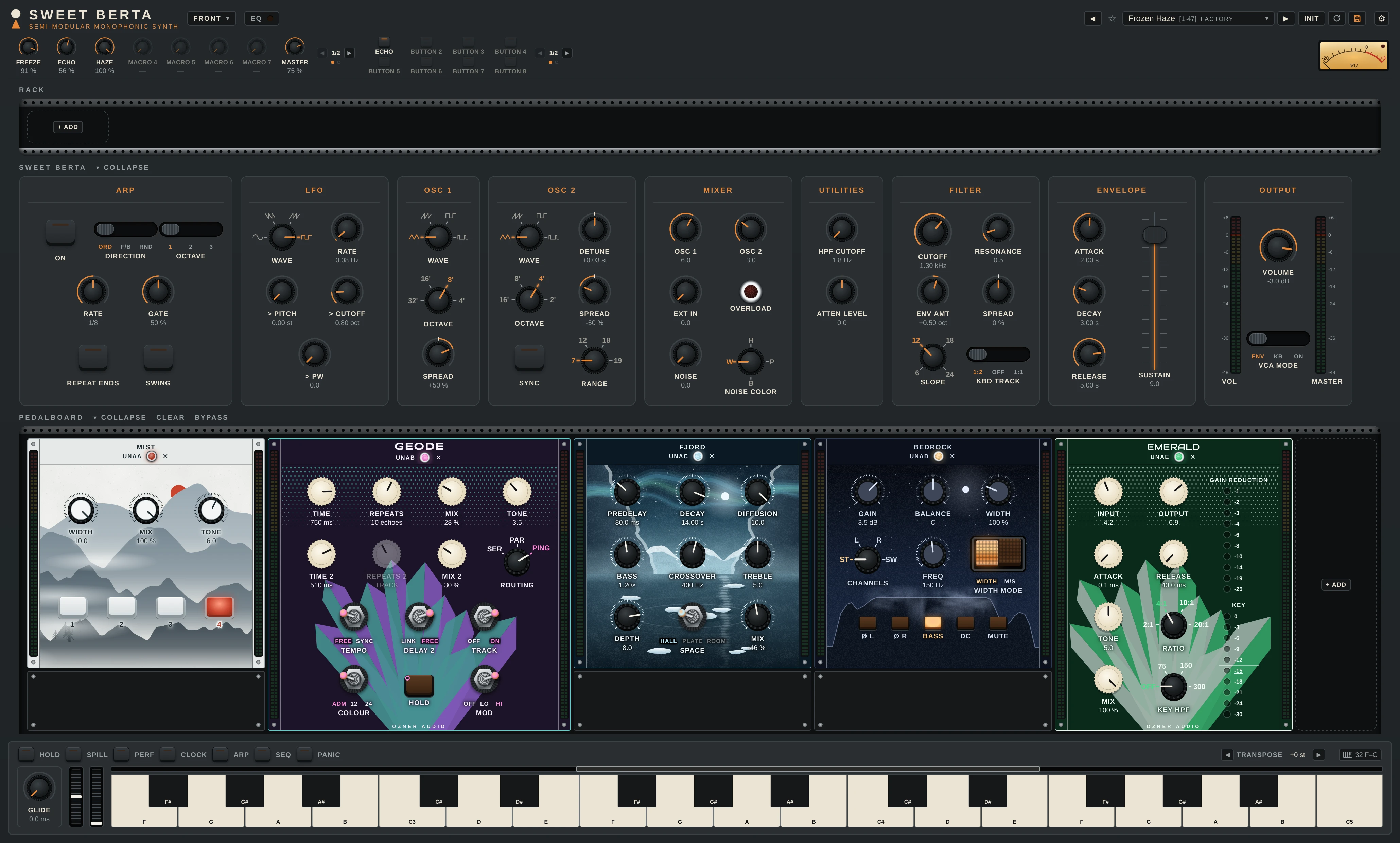
 Hybrid
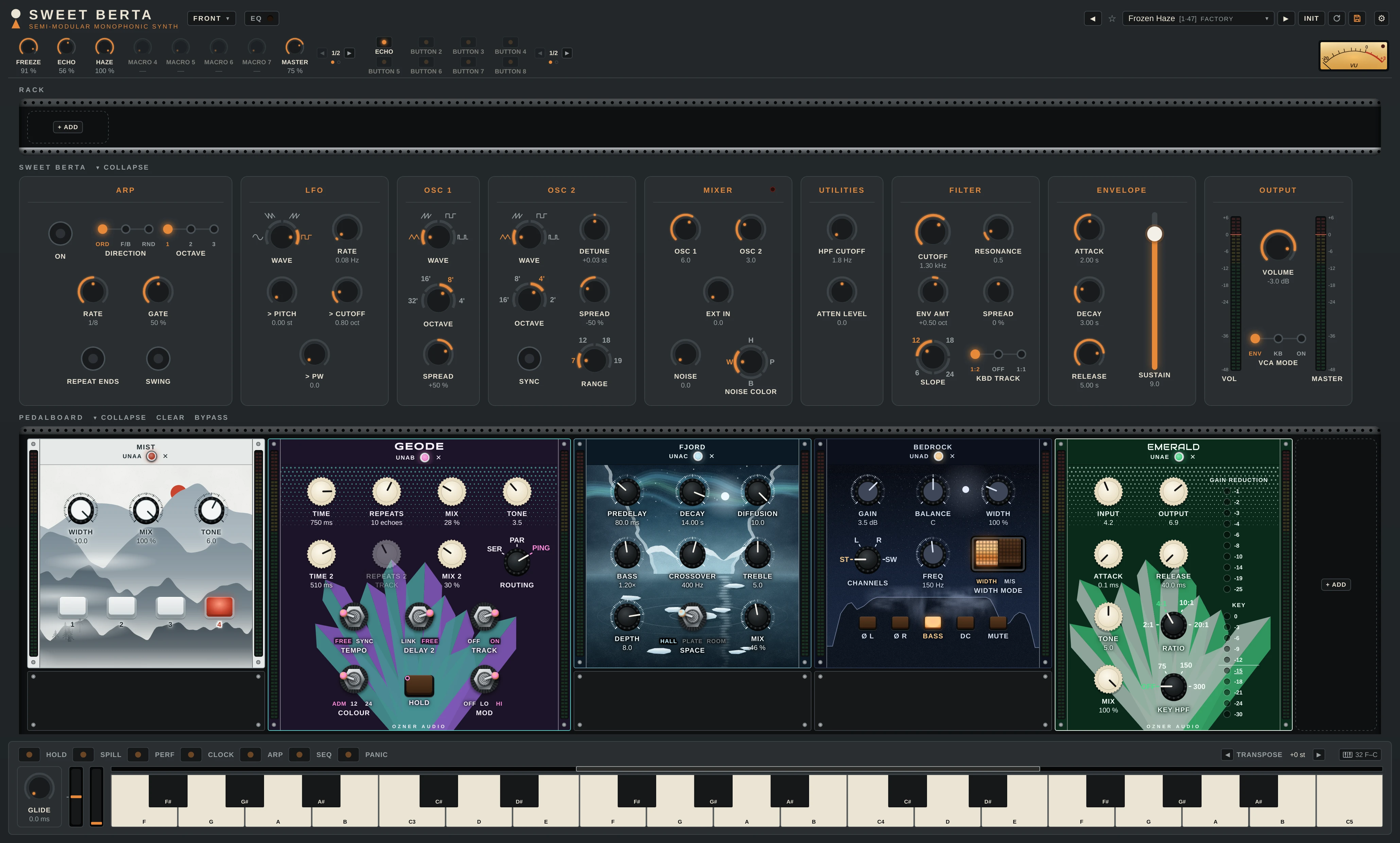 Modern
The handheld-game chord: a thin pulse running through whatever you hold in thirty-second notes, so a held triad shimmers into one buzzing chord. Hold triads and change them on the beat; the mod wheel adds a game-style vibrato. Macros: Chop, Tone, Echo. Macro 8, Master, is the output level. Button 1, Arp, is a footswitch for the arpeggiator: stop the pattern and let the held note ring, start it again on the next bar. Button 2, Roll, is held: the arp runs twice as fast (1/32 to 1/64), a ratchet fill into the next bar.
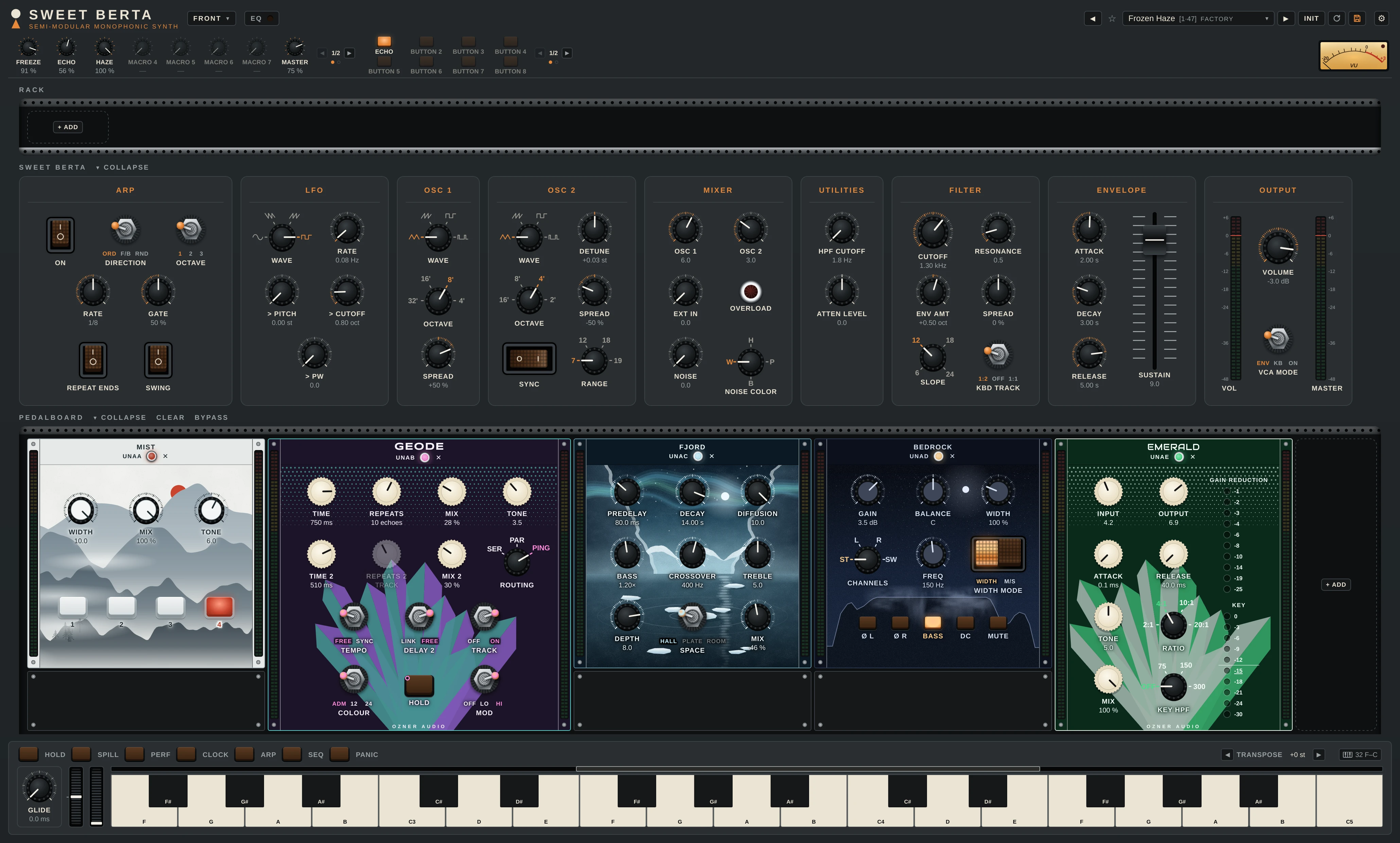
Semi-modular monophonic synth
Sweet Berta
One voice, patched your way. Two oscillators, a ladder filter, a sequencer and an arpeggiator, a patch bay of cables, and a spring reverb.
The launch
Free to claimOpens: November 24, 2026, 12:00 AM UTC. No closing date yet.
Comes with Big Red, unlocked everywhere.
Sweet Berta installs with the Ozner Audio app and a free account. Get the app
AUVST3Standalone
The gallery
Every side of the panel, as the plugin draws it49–55 of 55
A soaring lead that spirals: two saws a fifth apart, each step gliding into the next in eighth-note triplets, up two octaves and back down, through a chorus, a long echo and a hall. Hold two or three notes and let it sing; the mod wheel brings in vibrato. Macros: Glide, Dark, Space. Macro 8, Master, is the output level. Button 1, Arp, is a footswitch for the arpeggiator: stop the pattern and let the held note ring, start it again on the next bar. Button 2, Roll, is held: the arp runs twice as fast (1/8T to 1/16T), a ratchet fill into the next bar. Button 3, Solo, lifts the always-on Crank amp ahead of the pedals: more drive and level for a clear crunch in the solo.
A snarling sync riff in sixteenths: osc 2 hard-synced and swept down from high on every step, so each note tears in and settles, with a dotted-eighth echo trailing it. Hold A3 for the riff as written and move it with your other hand. The mod wheel brings in a wobble in the filter. Macros: Tear, Cutoff, Echo, Gate. Macro 8, Master, is the output level. Button 1, Seq, is a footswitch for the sequencer: drop out to play the line by hand, back in on the next start. Button 2, Roll, is held: the seq runs twice as fast (1/16 to 1/32), a ratchet fill into the next bar. Button 3, Sync, is a footswitch for hard sync: let go for the plain interval, press back for the tear.
A singing synth-pop hook in eighths, square and saw slightly apart, the tied notes gliding into each other, in a light chorus, an echo and a plate. Hold C4 for the hook as written and change key for the next chord. The mod wheel brings in a gentle vibrato. Macros: Bright, Slide, Echo, Space. Macro 8, Master, is the output level. Button 1, Seq, is a footswitch for the sequencer: drop out to play the line by hand, back in on the next start. Button 2, Roll, is held: the seq runs twice as fast (1/8 to 1/16), a ratchet fill into the next bar.
A funky talking lead: every accented step opens the resonant filter like a wah pedal stamped down, the rest stay vocal and nasal. Hold E3 or E4 for the line as written, play other keys for the changes, and ride Cutoff. An Emerald holds the loud corners of the macros level. The mod wheel brings in a gentle vibrato. Macros: Cutoff, Resonance, Room, Gate. Macro 8, Master, is the output level. Button 1, Seq, is a footswitch for the sequencer: drop out to play the line by hand, back in on the next start. Button 2, Call, switches to sequence 2, which lands on the next bar: the A/B section change by foot. Button 3, Roll, is held: the seq runs twice as fast (1/16 to 1/32), a ratchet fill into the next bar.
A saw lead with a second voice a major tenth above it, an octave and a major third, a spacing the old seven-semitone Detune could not reach: Range at 18 puts the knob's end past it. Bright and singing, with vibrato on the mod wheel. Macros: Tenth, Dark, Space. Macro 8, Master, is the output level. Button 1, Slide, sets the glide from 0.03 s to 0.25 s on overlapping notes only: slides on demand. Button 2, Solo, lifts the always-on Crank amp ahead of the pedals: more drive and level for a biting crunch in the solo. Button 3, Wash, is held: the reverb rings 9 s instead of 3 s, a reverb throw on the last note or chord.
A saw lead that climbs by interval: osc 2 starts a fifth above and the Interval macro runs its Detune up to an octave and a fifth, nineteen semitones, in one sweep, with the knob's travel set to Range 19. Turn it slowly for a rising harmony, fast for a siren of fifths. The mod wheel brings in a gentle vibrato. Macros: Interval, Cutoff, Space. Macro 8, Master, is the output level. Button 1, Slide, sets the glide from 0.05 s to 0.25 s on overlapping notes only: slides on demand. Button 2, Solo, lifts the always-on Crank amp, in the Rack ahead of the filter: more drive and level for a biting crunch in the solo. Button 3, Wash, is held: the reverb rings 10 s instead of 3.5 s, a reverb throw on the last note or chord.
Changelog
A semi-modular monophonic synth with a patch bay that plays with no cable in it, an arpeggiator and a sequencer locked to your DAW, and its own effects.
New
Play a semi-modular monophonic synth
Two oscillators, noise with a colour selector and an external input feed a mixer, a ladder filter, an envelope, an amplifier and an LFO. The patch bay over it lets you reroute all of it, and it plays with no cable in it. Play it from MIDI, the on-screen keyboard or your computer keys.
Run an arpeggiator locked to your DAW
It plays the keys you hold one at a time, in order, forward and back or at random, over one to three octaves. Steps run from whole notes down to 64th-note triplets, on the DAW's grid, and HOLD keeps the pattern going when you let go.
Write sequences of up to 256 steps
Three sequences, each step a note or a rest, tied to the one before and accented as you like. A key starts a sequence and transposes it, and you can switch sequences from MIDI at the next bar, at the sequence's end or at once.
Add effects as pedals or as modules
Its effects are pedals on one Pedalboard, from board in to board out, or units in the Rack that you patch as modules. Big Red's spring reverb comes with it, unlocked everywhere, and an eight-band EQ sits over the instrument.
Turn sixteen macros for a whole sound
Every sound has sixteen macro knobs and sixteen buttons. A preset names them and points each at the knobs that matter, so a controller you map once follows every preset you load. A button that switches an effect or the arpeggiator is a footswitch: it loads lit, and pressing it switches the thing off.
Bring any sound to life with the mod wheel
The LFO's > Cutoff starts at 0.8 octaves, so the mod wheel wobbles the filter on every sound that has no other job for it, and each sound's description says what the wheel does. The wheel at rest changes nothing.
Keep your level through every sound with Master
Macro 8 is Master: the plugin's output level, from -60 to +6 dB and resting at 0 dB, after the effects and the EQ. It is the plugin's own, so loading a sound leaves it where you put it, and your project saves it. Your DAW can automate it, and a MIDI controller can turn it.
Change sounds without cutting a note
There are 313 factory presets, and you can save your own with a name, tags and an author. Loading one never cuts a held note or a tail.
Reach your own presets from a MIDI controller
Your presets are programs from bank 11 up, each with a number fixed when you save it, counted from 1 as your DAW shows it: bank 11, program 1 loads the first. The browser shows the number and lets you renumber it, and your DAW's program list names them, so a setlist or a controller reaches your sounds as it reaches the factory ones.
Key a pedal from another signal
A pedal's own inputs past In, Emerald's Sidechain In, now show on the Pedalboard's back, so External In or any other jack can drive its squeeze.
Run other audio through the voice
Send another track to Sweet Berta's sidechain input and raise Ext In to run it through the mixer, filter and amplifier. A stereo input stays stereo.
Choose a look and a format
Three looks, Hardware, Hybrid and Modern, change only how the panel looks, never the sound. It runs as AU, VST3 and a standalone app.
Use the Option shortcuts in your DAW too
Option+P, Option+C and Option+A open the pop-ups, and Option+F, B, S, O and E go to a side. Option+Shift+A, S, E and N toggle the arp, the sequencer, the EQ and the patch bay's Normals, and Option+K, H and X toggle Computer Keys and Hold and panic. They work while Sweet Berta's window has focus (Alt on Windows and Linux).