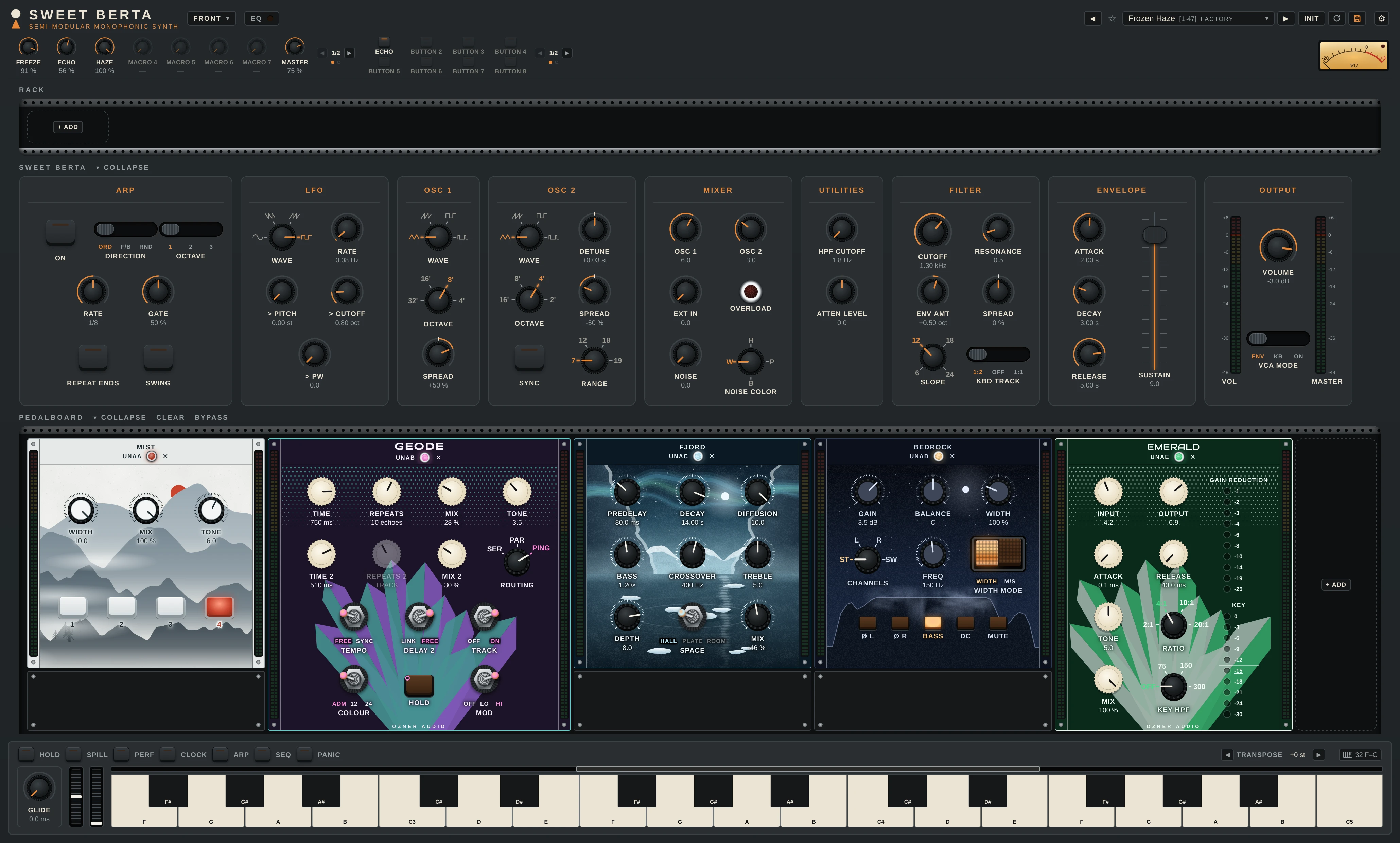
 Hybrid
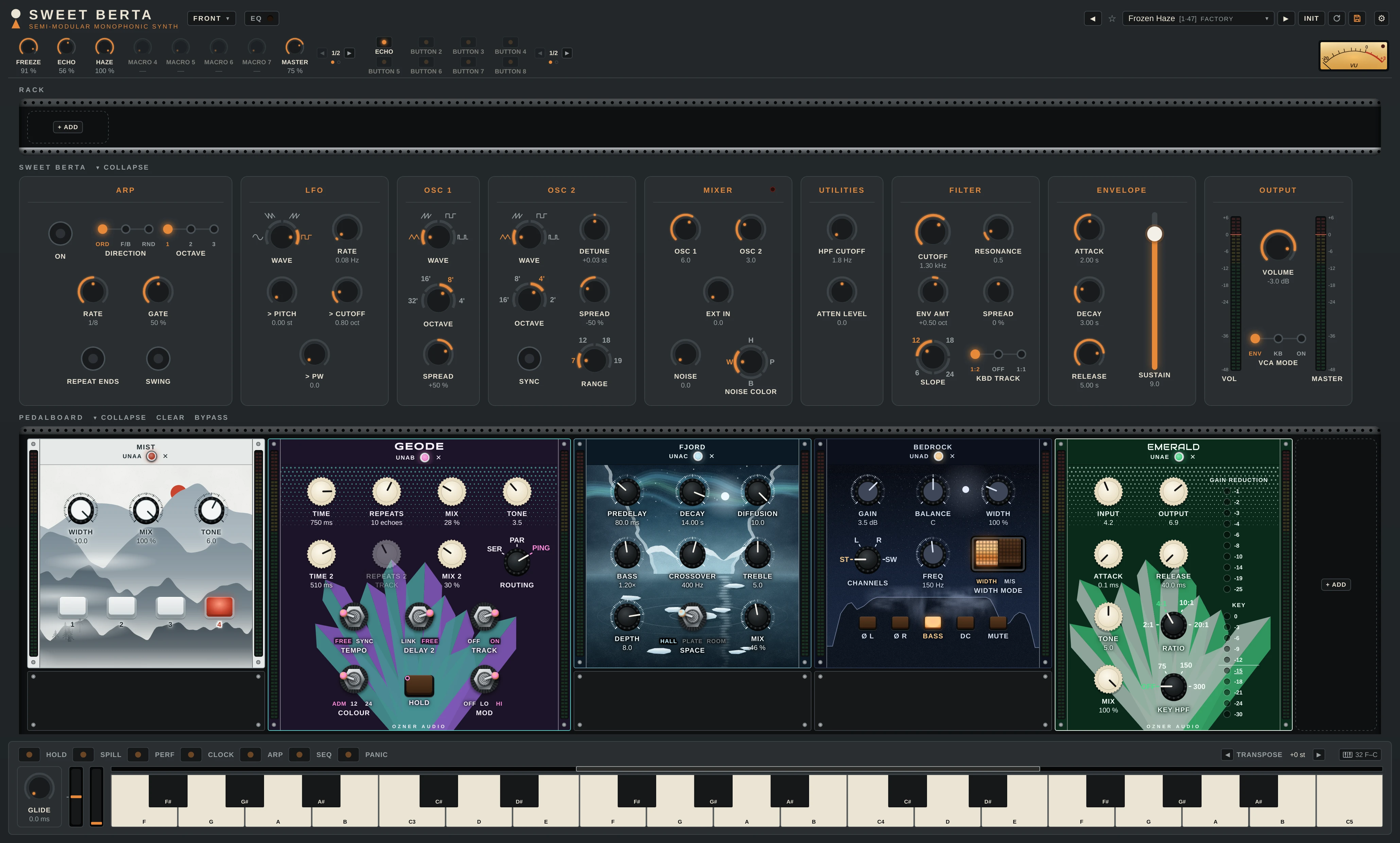 Modern
EURO OUT patched back into EXT IN: the finished voice runs round through the mixer's own saturation, so the bass grinds and thickens from inside rather than through a pedal. Play held notes and push Grind for more. The mod wheel brings in a wobble in the filter. Macros: Grind, Cutoff, Decay. Macro 8, Master, is the output level. Button 1, Sub, drops osc 1 an octave (16' to 32') under osc 2: the drop section's weight. Button 2, Slide, sets the glide from 0 s to 0.12 s on overlapping notes only: slides on demand.
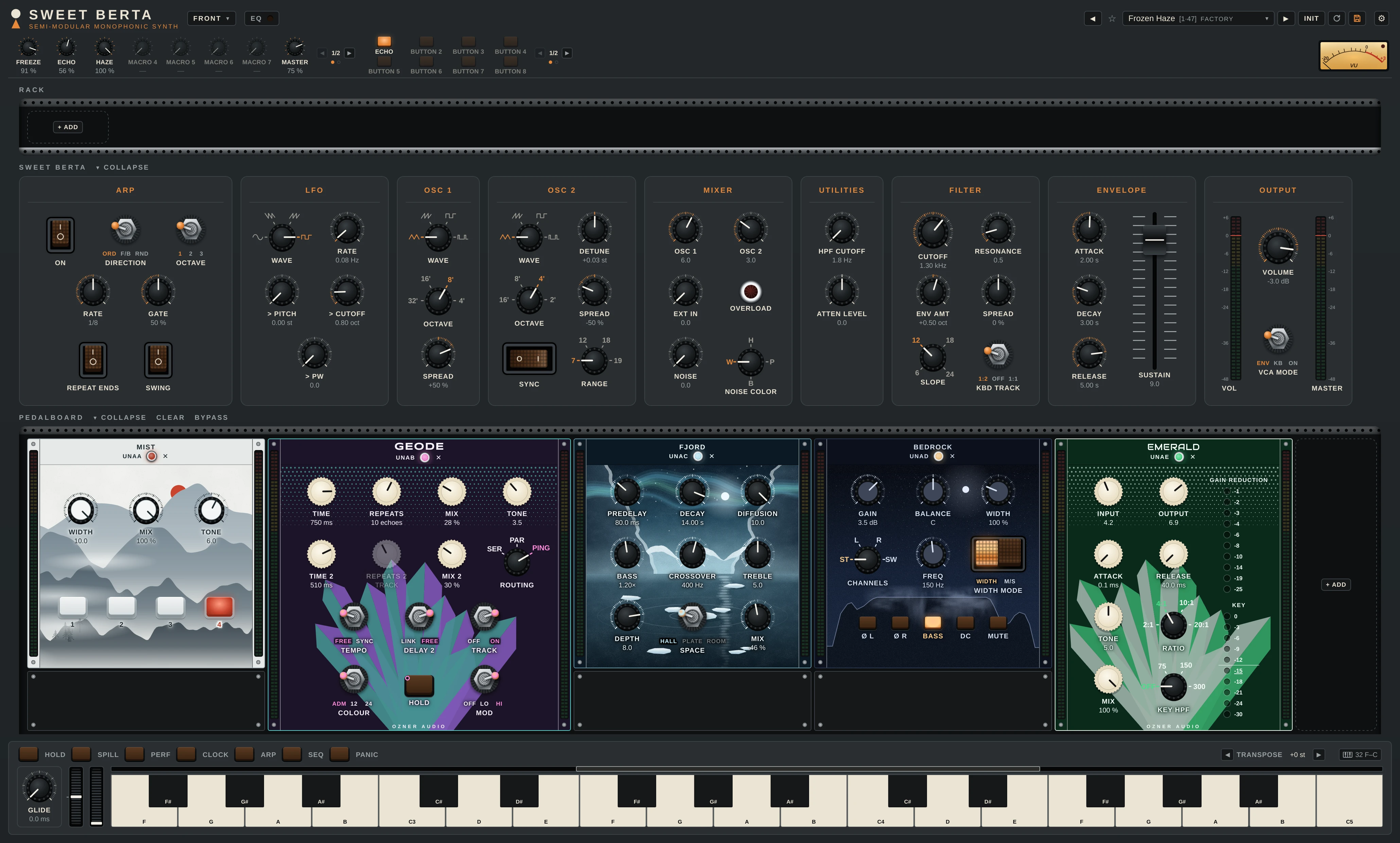
Semi-modular monophonic synth
Sweet Berta
One voice, patched your way. Two oscillators, a ladder filter, a sequencer and an arpeggiator, a patch bay of cables, and a spring reverb.
The launch
Free to claimOpens: November 24, 2026, 12:00 AM UTC. No closing date yet.
Comes with Big Red, unlocked everywhere.
Sweet Berta installs with the Ozner Audio app and a free account. Get the app
AUVST3Standalone
The gallery
Every side of the panel, as the plugin draws it49–72 of 84
A fuzz on a battery running flat: Puzz gates and spits on the tail of every note, but only above 150 Hz: the Pedalboard splits the bass, and the low band holds clean underneath while the top breaks up. Play short, chunky notes and let them break up. The mod wheel brings in a wobble in the filter. Macros: Cutoff. Macro 8, Master, is the output level. Button 1, Slide, sets the glide from 0 s to 0.12 s on overlapping notes only: slides on demand. Button 2, Fuzz, is a footswitch for the fuzz (lane 2): clean when off, the dirt kicked back in by foot.
Osc 1 frequency-modulates osc 2 at the same pitch through the ATTENUATOR: a round triangle given a rubbery, saw-like edge, then plucked by the ladder, Earth's harmonics carrying it onto small speakers. FM sets how much edge. Play bouncy lines in the bottom two octaves. The mod wheel brings in a wobble in the filter. Macros: FM, Cutoff, Decay. Macro 8, Master, is the output level. Button 1, Slide, sets the glide from 0 s to 0.12 s on overlapping notes only: slides on demand.
An inharmonic FM bass: the modulator is pushed off its octave by the ATTENUATOR, so each note strikes with a metallic clank before the ladder closes it down to a dull, tuned thud. Play short, percussive notes; Clank shifts the ratio. The mod wheel brings in a wobble in the filter. Macros: Clank, Cutoff, Decay. Macro 8, Master, is the output level. Button 1, Slide, sets the glide from 0 s to 0.12 s on overlapping notes only: slides on demand.
A square an octave below modulates the triangle you hear, its width turning slowly on the LFO: the note sinks an octave into a churning, growling sub that never sits still, Earth's harmonics keeping it heard on a phone. Hold low notes. An Eagle holds the loud corners of the macros level. The mod wheel brings in a slow pulse-width sweep. Macros: Rate, Cutoff, Emphasis. Macro 8, Master, is the output level. Button 1, Slide, sets the glide from 0 s to 0.12 s on overlapping notes only: slides on demand.
Osc 1's saw is heard and also modulates osc 2, set a little sharp: the sidebands beat against each other, so a held note throbs and shimmers. Play long notes and slow lines; Beat speeds the throb up. Pumice warms the sidebands and Eagle keeps the throb even. The mod wheel brings in a wobble in the filter. Macros: Beat, Cutoff, Decay. Macro 8, Master, is the output level. Button 1, Slide, sets the glide from 0 s to 0.12 s on overlapping notes only: slides on demand.
Osc 2 hard-synced to osc 1, the envelope sweeping it down an octave on every note through the ATTENUATOR: a hard, vocal bark on the attack over a solid body. Play punchy eighths; Sweep sets how far it tears. Zest roughs up the bark and Earth adds Body. The mod wheel brings in a wobble in the filter. Macros: Sweep, Cutoff, Decay. Macro 8, Master, is the output level. Button 1, Sync, is a footswitch for hard sync: let go for the plain interval, press back for the tear. Button 2, Sub, drops osc 1 an octave (16' to 32') under osc 2: the drop section's weight. Button 3, Slide, sets the glide from 0 s to 0.12 s on overlapping notes only: slides on demand. Button 4, Dirt, is a footswitch for Zest's grit, lit while it is on; press it to switch the grit off, and again to bring it back.
A synced square a few semitones up, torn down by the envelope on every note and driven into a dark amp ahead of the filter: a nasty, snarling rock bass. Play driving eighths and hold the last note to hear it settle. The mod wheel brings in a wobble in the filter. Macros: Cutoff, Decay. Macro 8, Master, is the output level. Button 1, Sync, is a footswitch for hard sync: let go for the plain interval, press back for the tear. Button 2, Sub, drops osc 1 an octave (16' to 32') under osc 2: the drop section's weight. Button 3, Slide, sets the glide from 0 s to 0.12 s on overlapping notes only: slides on demand. Button 4, Bright, flips the amp's Voice to Bright: tight and cutting (a bypass would drop the line by the amp's Level).
A slow LFO rolls the synced osc 2's pitch, restarted on every note, so each held note's tone climbs and turns over like a wave, with a light chorus spreading it. Hold notes of a bar or more. The mod wheel brings in a slow sweep of the filter. Macros: Rate, Cutoff, Chorus. Macro 8, Master, is the output level. Button 1, Sync, is a footswitch for hard sync: let go for the plain interval, press back for the tear. Button 2, Sub, drops osc 1 an octave (16' to 32') under osc 2: the drop section's weight. Button 3, Slide, sets the glide from 0 s to 0.12 s on overlapping notes only: slides on demand.
How hard you play sets how high the synced osc 2 sits: soft notes are round and plain, hard ones tear and bark, with a little envelope sweep on top. Play with dynamics, ghost notes soft and accents hard. The mod wheel brings in a wobble in the filter. Macros: Cutoff, Decay, Body. Macro 8, Master, is the output level. Button 1, Sync, is a footswitch for hard sync: let go for the plain interval, press back for the tear. Button 2, Sub, drops osc 1 an octave (16' to 32') under osc 2: the drop section's weight. Button 3, Slide, sets the glide from 0 s to 0.12 s on overlapping notes only: slides on demand.
Two saws, one an octave under, into a tiny amp turned all the way up in its dark voice: a huge, woolly wall of bass, the EQ clearing the mud beneath it. Hold roots and power through; the low notes rumble. The mod wheel brings in a wobble in the filter. Macros: Dark, Sub, Air. Macro 8, Master, is the output level. Button 1, Slide, sets the glide from 0 s to 0.12 s on overlapping notes only: slides on demand. Button 2, Bright, flips the amp's Voice to Bright: tight and cutting (a bypass would drop the line by the amp's Level).
The amp before the filter: Crank sits in the Rack between the mixer and the ladder, so a fully driven square and saw are plucked by the filter envelope. Every note bites, then closes down to a dark, chewy growl. Play tight, syncopated lines. An Emerald shaves the spike of each note, so the body sits louder. The mod wheel brings in a wobble in the filter. Macros: Cutoff, Decay. Macro 8, Master, is the output level. Button 1, Sub, drops osc 1 an octave (16' to 32') under osc 2: the drop section's weight. Button 2, Slide, sets the glide from 0 s to 0.12 s on overlapping notes only: slides on demand. Button 3, Dirt, brings in Zest's grit for a harder section.
A picked rock bass with grind: a square and a saw, a bright pick on the attack, through a compressor's Dirt side for a gritty, even growl that sits in a band. Play driving eighths with a pick's evenness; harder notes click brighter. The mod wheel brings in a gentle vibrato. Macros: Cutoff. Macro 8, Master, is the output level. Button 1, Sub, drops osc 1 an octave (16' to 32') under osc 2: the drop section's weight. Button 2, Slide, sets the glide from 0 s to 0.12 s on overlapping notes only: slides on demand. Button 3, Dirt, is a footswitch for Zest's grit: clean squeeze when off.
The relentless retro-synth bass: two saws pumping straight sixteenths on one held note, a little filter pluck on each. The Pedalboard splits it in two: one lane stays clean for the low end, the other drives an amp into a steep high-pass, so only its new harmonics join, and the line still reads on a phone. Hold the root and change it with the chords. The mod wheel brings in a wobble in the filter. Macros: Cutoff, Decay, Gate. Macro 8, Master, is the output level. Button 1, Arp, is a footswitch for the arpeggiator: stop the pattern and let the held note ring, start it again on the next bar. Button 2, Roll, is held: the arp runs twice as fast (1/16 to 1/32), a ratchet fill into the next bar. Button 3, Sub, drops osc 1 an octave (16' to 32') under osc 2: the drop section's weight.
An acid line that plays itself: one resonant saw, up and back down over two octaves of whatever you hold, every sixteenth a squelch, with a short slide between steps. Hold a root with its minor third and seventh; harder notes squelch harder. The mod wheel brings in a wobble in the filter. Macros: Cutoff, Squelch, Decay. Macro 8, Master, is the output level. Button 1, Arp, is a footswitch for the arpeggiator: stop the pattern and let the held note ring, start it again on the next bar. Button 2, Roll, is held: the arp runs twice as fast (1/16 to 1/32), a ratchet fill into the next bar.
A round, rolling bass in eighth-note triplets, up and back down through the notes you hold: a triangle with a quiet square under it, warm and deep, with a sub added below. Hold a root, its fifth and its octave over a straight beat and let the triplets roll against it. The mod wheel brings in a wobble in the filter. Macros: Cutoff, Sub, Decay, Gate. Macro 8, Master, is the output level. Button 1, Arp, is a footswitch for the arpeggiator: stop the pattern and let the held note ring, start it again on the next bar. Button 2, Roll, is held: the arp runs twice as fast (1/8T to 1/16T), a ratchet fill into the next bar. Button 3, Sub, drops osc 1 an octave (16' to 32') under osc 2: the drop section's weight.
A springy, metallic bass: osc 1's square modulates a triangle an octave above it, so each step clanks and then settles, bouncing up and down two octaves in swung sixteenths. Hold two or three low notes for a funky, rubbery figure. The mod wheel brings in a wobble in the filter. Macros: Clank, Cutoff, Decay, Swing. Macro 8, Master, is the output level. Button 1, Arp, is a footswitch for the arpeggiator: stop the pattern and let the held note ring, start it again on the next bar. Button 2, Climb, stretches the arpeggio from 2 to 3 octaves for the build. Button 3, Roll, is held: the arp runs twice as fast (1/16 to 1/32), a ratchet fill into the next bar.
A minimal techno sub on the offbeats, the space left for the kick: a round triangle with a soft square underneath and a quick filter blip, the octave jumping up on the last beat of the bar. Hold C2 and let it run under a four-on-the-floor kick. The mod wheel brings in a wobble in the filter. Macros: Cutoff, Blip, Sub, Length. Macro 8, Master, is the output level. Button 1, Seq, is a footswitch for the sequencer: drop out to play the line by hand, back in on the next start. Button 2, Roll, is held: the seq runs twice as fast (1/16 to 1/32), a ratchet fill into the next bar.
A syncopated funk line that carries on small speakers: the Pedalboard splits in two, one lane clean and round, the other driven hard through the amp with its lows cut, so only the new harmonics join the bass. Hold E2 for the groove as written; accents pop through the filter. A Pumice rounds off the spike of each note, so the body sits louder. The mod wheel brings in a wobble in the filter. Macros: Dark, Pop, Gate. Macro 8, Master, is the output level. Button 1, Roll, is held: the seq runs twice as fast (1/16 to 1/32), a ratchet fill into the next bar. Button 2, Sub, drops osc 1 an octave (16' to 32') under osc 2: the drop section's weight. Button 3, Seq, is a footswitch for the sequencer: drop out to play the line by hand, back in on the next start. Button 4, Answer, switches to sequence 2, which lands on the next bar: the A/B section change by foot.
The tight, rolling psytrance bass: three clipped sixteenths after every kick, a saw snapping through a quick filter blip, with the clock at 142 when it runs on its own. Hold a key low on the keyboard (E1 to A1) and change it every few bars. The mod wheel brings in a wobble in the filter. Macros: Cutoff, Snap, Resonance, Gate. Macro 8, Master, is the output level. Button 1, Seq, is a footswitch for the sequencer: drop out to play the line by hand, back in on the next start. Button 2, Roll, is held: the seq runs twice as fast (1/16 to 1/32), a ratchet fill into the next bar. Button 3, Sub, drops osc 1 an octave (16' to 32') under osc 2: the drop section's weight.
A deep, warm dub bass walking a minor line in eighths, two soft triangles with the sub reinforced, long notes leaving room for the offbeat. Hold G1 or G2 for the line as written; rest a hand on the filter. The mod wheel brings in a wobble in the filter. Macros: Cutoff, Sub, Length. Macro 8, Master, is the output level. Button 1, Seq, is a footswitch for the sequencer: drop out to play the line by hand, back in on the next start. Button 2, Roll, is held: the seq runs twice as fast (1/8 to 1/16), a ratchet fill into the next bar. Button 3, Sub, drops osc 1 an octave (16' to 32') under osc 2: the drop section's weight.
A pure triangle sub, nearly a sine, with Earth turned well up: it adds the note's 2nd to 6th harmonics above 150 Hz, so a phone or a laptop that cannot play the note still plays the line, while big speakers get the clean sub as it is. Play long notes from C1 to C3, then check it on a phone. The mod wheel brings in a gentle vibrato. Macros: Phone, Weight, Tone. Macro 8, Master, is the output level. Button 1, Slide, sets the glide from 0 s to 0.12 s on overlapping notes only: slides on demand.
A round bass glowing warm: a saw over a triangle through an 18 dB ladder, then Pumice driven dark, so the lows thicken and the top stays smooth, with a little of Earth's Body to carry it onto small speakers. Play held roots and lazy lines. The mod wheel brings in a wobble in the filter. Macros: Tone, Cutoff, Decay. Macro 8, Master, is the output level. Button 1, Slide, sets the glide from 0 s to 0.12 s on overlapping notes only: slides on demand. Button 2, Sub, drops osc 1 an octave (16' to 32') under osc 2: the drop section's weight.
The rock bass a studio gets by running the bass twice: the Pedalboard splits it in parallel, one lane clean for a solid low end, the other through a cranked amp into a steep high-pass, so only the amp's growl joins on top. It cuts through guitars and still reads on a phone. Play driving eighths with a pick's evenness. A Pumice after the lanes merge rounds off the spike of each note, so the body sits louder. The mod wheel brings in a gentle vibrato. Macros: Edge, Dark. Macro 8, Master, is the output level. Button 1, Sub, drops osc 1 an octave (16' to 32') under osc 2: the drop section's weight. Button 2, Slide, sets the glide from 0 s to 0.12 s on overlapping notes only: slides on demand. Button 3, Dark, flips the amp's Voice to Dark (lane 2): woollier, a doom wall (a bypass would drop the line by the amp's Level).
Changelog
A semi-modular monophonic synth with a patch bay that plays with no cable in it, an arpeggiator and a sequencer locked to your DAW, and its own effects.
New
Play a semi-modular monophonic synth
Two oscillators, noise with a colour selector and an external input feed a mixer, a ladder filter, an envelope, an amplifier and an LFO. The patch bay over it lets you reroute all of it, and it plays with no cable in it. Play it from MIDI, the on-screen keyboard or your computer keys.
Run an arpeggiator locked to your DAW
It plays the keys you hold one at a time, in order, forward and back or at random, over one to three octaves. Steps run from whole notes down to 64th-note triplets, on the DAW's grid, and HOLD keeps the pattern going when you let go.
Write sequences of up to 256 steps
Three sequences, each step a note or a rest, tied to the one before and accented as you like. A key starts a sequence and transposes it, and you can switch sequences from MIDI at the next bar, at the sequence's end or at once.
Add effects as pedals or as modules
Its effects are pedals on one Pedalboard, from board in to board out, or units in the Rack that you patch as modules. Big Red's spring reverb comes with it, unlocked everywhere, and an eight-band EQ sits over the instrument.
Turn sixteen macros for a whole sound
Every sound has sixteen macro knobs and sixteen buttons. A preset names them and points each at the knobs that matter, so a controller you map once follows every preset you load. A button that switches an effect or the arpeggiator is a footswitch: it loads lit, and pressing it switches the thing off.
Bring any sound to life with the mod wheel
The LFO's > Cutoff starts at 0.8 octaves, so the mod wheel wobbles the filter on every sound that has no other job for it, and each sound's description says what the wheel does. The wheel at rest changes nothing.
Keep your level through every sound with Master
Macro 8 is Master: the plugin's output level, from -60 to +6 dB and resting at 0 dB, after the effects and the EQ. It is the plugin's own, so loading a sound leaves it where you put it, and your project saves it. Your DAW can automate it, and a MIDI controller can turn it.
Change sounds without cutting a note
There are 313 factory presets, and you can save your own with a name, tags and an author. Loading one never cuts a held note or a tail.
Reach your own presets from a MIDI controller
Your presets are programs from bank 11 up, each with a number fixed when you save it, counted from 1 as your DAW shows it: bank 11, program 1 loads the first. The browser shows the number and lets you renumber it, and your DAW's program list names them, so a setlist or a controller reaches your sounds as it reaches the factory ones.
Key a pedal from another signal
A pedal's own inputs past In, Emerald's Sidechain In, now show on the Pedalboard's back, so External In or any other jack can drive its squeeze.
Run other audio through the voice
Send another track to Sweet Berta's sidechain input and raise Ext In to run it through the mixer, filter and amplifier. A stereo input stays stereo.
Choose a look and a format
Three looks, Hardware, Hybrid and Modern, change only how the panel looks, never the sound. It runs as AU, VST3 and a standalone app.
Use the Option shortcuts in your DAW too
Option+P, Option+C and Option+A open the pop-ups, and Option+F, B, S, O and E go to a side. Option+Shift+A, S, E and N toggle the arp, the sequencer, the EQ and the patch bay's Normals, and Option+K, H and X toggle Computer Keys and Hold and panic. They work while Sweet Berta's window has focus (Alt on Windows and Linux).